When an AI assistant points a customer to your business and they want to get in touch, Walt collects the request and puts it in one place for you. No missed messages, no checking five different apps.
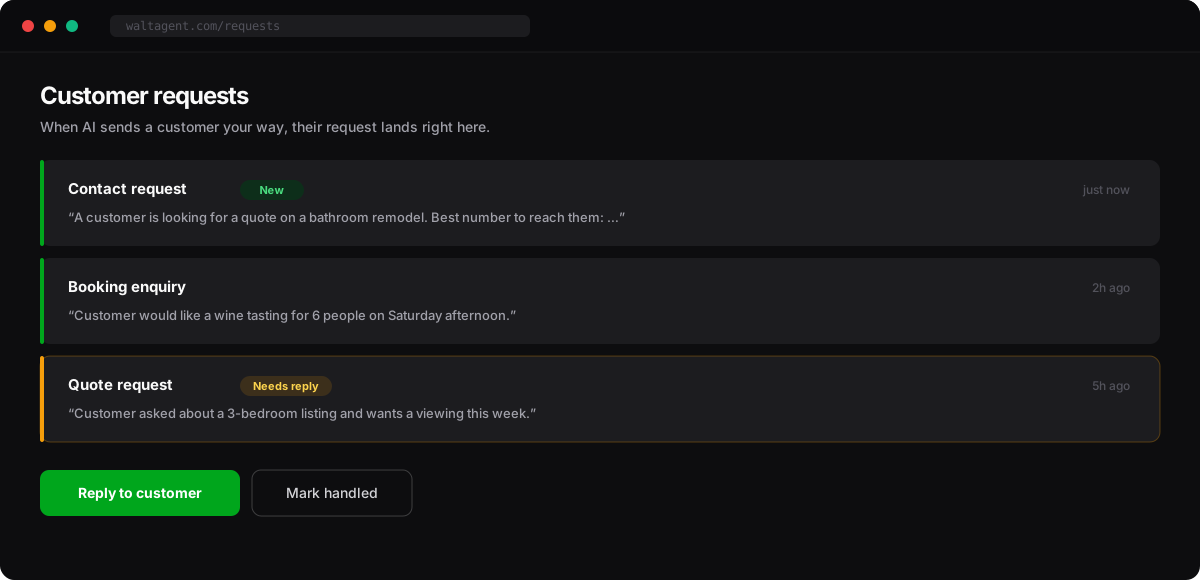
What you’ll see
Each request tells you what the customer wants and how to reach them. Common ones:
- Contact request — a customer wants you to get back to them.
- Booking enquiry — someone wants to book a time, a table, or an appointment.
- Quote request — a customer is asking for a price or estimate.
What to do
- Open the request to see the details — what they asked for and how to reach them.
- Reply or follow up the way you normally would — a call, a text, or an email.
- Mark it handled so you always know what’s still waiting on you.
Quotes and bookings, handled for you
On higher plans, trusted AI can go a step further — requesting a quote or checking your availability automatically, so simple enquiries are handled even before they reach your inbox. This is rolling out gradually; we’ll let you know when it’s available for your business.